
A skill becomes a product when someone else can use it to solve a real problem without your help. A digital product is an item delivered online without physical interaction that can provide instant access after purchase. Your expertise becomes useful to a customer when you shape it into a clear method, not a pile of notes.
You can build a focused PDF guide around a specific customer problem, then refine it into a polished, sellable download. The work takes time, but a practical process helps you choose the right result, explain it clearly, and create an output people can use. The strongest starting point is a result you can teach clearly and a reader who needs it now.
Key Takeaways
- Teach one clear result.
- Write for a specific customer.
- Build usable steps, not scattered notes.
- Export and check the finished file.
- Match the sales channel to the product.
How to Turn Skills Into PDF Products
A practical way to choose a topic is to name one task your customer wants to complete faster or more confidently. Repeatable outcomes make strong digital products because a customer can follow a process and judge the result. Choose a skill you can explain through actions, not just opinions.
Think about a workflow you use often: planning meals, organizing finances, editing photos, or preparing for a job interview. Name the audience precisely, such as new freelancers setting project rates, rather than everyone who wants to earn more. Then confirm that the task matters enough for someone to seek help.
eBooks about self-help, fitness, finance, and skills development are examples of digital products that can perform well on platforms such as Amazon and Gumroad. Those topics are examples, not a sales guarantee; a focused promise still needs to meet a real customer need. These eBook topics can help you spot familiar formats without copying a broad subject.
You can turn skills into PDF products online for free by drafting in Google Docs and exporting the finished document as a PDF. Digital products also include courses, software, graphics, digital booklets, and templates. Each format packages knowledge differently, but a PDF works well when people need clear instructions or a reusable reference.
List the task, the person who needs it, and the result your PDF guide will help them reach. Avoid promises that depend on factors outside your control, such as guaranteed income or a perfect outcome. Choose the narrowest promise that a customer can judge from the finished download.
What Should Your Paid PDF Teach?
A buyer should be able to tell from the first page what they will be able to do by the end. A specific result gives your content a useful direction, while a broad topic leaves the customer unsure where to start. Build the document around one outcome and the steps needed to reach it.
A paid guide should teach a complete process, not present notes or tips without context. Show what to do, in what order, and how to tell whether each step worked. A reader should be able to follow the method without needing you to fill in missing instructions.

Start with one result the buyer can achieve
State the result in plain language, such as creating a monthly budget or preparing a first client proposal. Name any prerequisites, including materials, access, or basic knowledge. Your product brief can keep the content focused:
- Customer: who needs the method?
- Desired result: what should they complete?
- Prerequisites: what should they have or know?
- Steps: what actions produce the result?
- Worked example or action checklist: how can they apply or confirm the method?
Organize the method into usable steps
Arrange the steps in the order a customer will use them. Give each step a clear action and a useful sign of completion. If you teach a photo-editing workflow, for example, separate selecting the image, adjusting exposure, and exporting the finished file. Keep editing passes for clarity and remove detours that do not help the task.
Detailed instructions matter when a workflow handles a particular file or output. A task request should name the PDF operation, the pages involved, and the required output. For a scanned document, the instructions may need to request OCR, then a visual check for errors.
Add examples that show how to apply the method
Make an example specific enough to demonstrate the method. A request might identify the table on page 4, ask for CSV output, preserve headings and units, and flag unclear cells. That level of detail helps readers understand what a complete task instruction looks like, rather than leaving them with a general tip about extracting information.
Use examples to clarify decisions, not to add extra topics. Test the outline against the promised result and remove any step that does not help the buyer reach it.
How Do You Create and Export a PDF?
The quickest route depends on whether your draft is in Word, Google Docs, or on your phone. Use the app holding your finished document to make the PDF, and choose whether comments belong in the customer-facing file. Check that export option before downloading, since Word offers versions with and without comments.
In Word for the Web, choose File → Export, then select Download as PDF or Download as PDF with comments. Select Download to save the file. The first option omits comments; the second includes all comments, which may expose notes meant only for editing.
| Tool | Export route | Comments or layout note |
|---|---|---|
| Word for the Web | File → Export → Download as PDF | Comments omitted |
| Word for the Web | File → Export → Download as PDF with comments | Comments included |
| Google Docs desktop | File → Download → PDF Document (.pdf) | Use Print to PDF for layout and margin adjustments |
Export from Word for the Web
Use Download as PDF for a clean copy without reviewer comments. Choose the comments option only when those notes are part of the intended file. The two Word export choices make the comment setting explicit before the file downloads.
Save a Google Doc as a PDF
On a desktop, open the document and choose File → Download → PDF Document (.pdf). Google Docs does not offer a native one-click batch export for multiple documents, so export each document separately. For print layout adjustments, use Print to PDF and set the page size to match the intended final size.
Set margins to at least 0.5 inches (1.27 cm) when using Google Docs Print to PDF. Arial, Times New Roman, and Roboto are standard font choices that can reduce font-compatibility problems. Page settings and fonts affect how the final pages appear on another device.
Create or export PDFs on a phone
To convert a file to PDF on iPhone or make a PDF file on mobile, use the Google Docs app. Open the document, tap the three-dot menu, choose Share & export → Save as → PDF document, then tap OK. The same route works in Google Docs on Android and iOS.
Before sharing, open the exported file and confirm that its page size, margins, and comment setting match what you intended.
Where Can You Sell the PDF, and How Should You Price It?
Match the sales channel to the form of the product, not just to the audience size you hope to reach. Product fit helps customers find the right kind of download and gives you a clearer way to describe it. Set a price based on the outcome, depth, and scope you actually deliver.
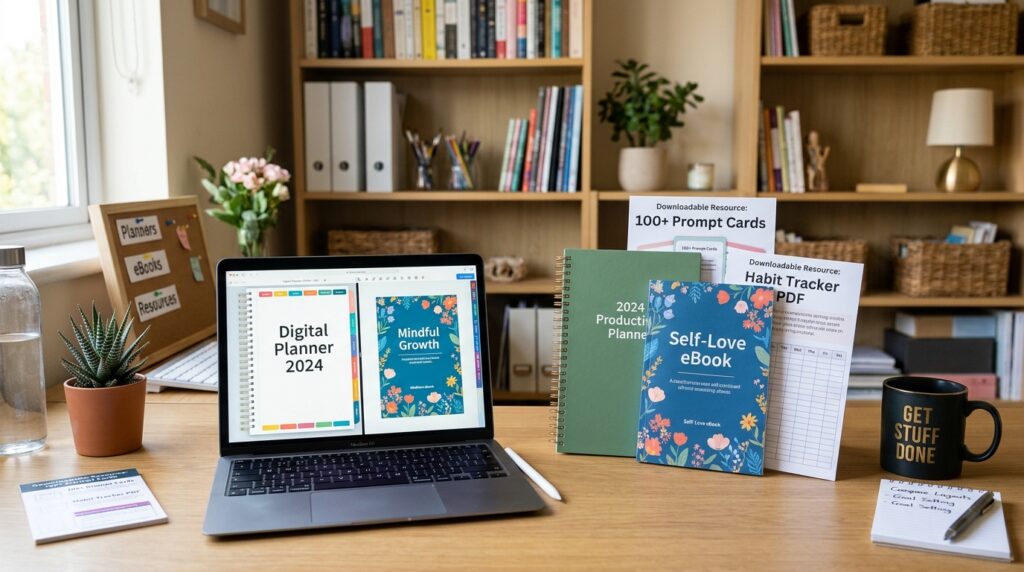
Etsy suits digital art and organization products, including planners and templates for busy professionals or students. Amazon is a fit for eBooks, with topics such as self-help, fitness, finance, and skills development. Gumroad supports digital downloads and memberships.
| Platform | Product fit | Offer examples |
|---|---|---|
| Etsy | Digital art and organization products | Planners and templates |
| Amazon | eBooks | Self-help, fitness, finance, skills development |
| Gumroad | Digital downloads and memberships | PDF guide, downloadable toolkit, membership |
Set the price around the result and scope
Consider how useful the outcome is, how much detail the guide provides, how specific the method is, and how much time it may save. Support, updates, or extra templates also shape the offer. A short checklist and a detailed training workbook are different products, even when both teach the same skill.
Digital products can be sold repeatedly after creation without additional production costs for each copy. That does not remove platform fees, marketing costs, or the time needed to support customers. Include those costs when deciding whether the offer makes sense for your business.
Make the product listing specific
Describe the customer, the task, what the download contains, and what it does not include. State whether customers receive a PDF guide, worksheets, or other files. Clear details help people judge whether the product fits their needs before they pay.
Put the deliverable, intended buyer, and scope beside the price so customers can judge the offer before paying.
How Do You Check a PDF Before Selling It?
A PDF that looks polished on your screen can still fail when a customer searches, prints, or opens it on another device. Test the actual file, not just the editable document, because image-based pages may not contain searchable text. Keep a source document and compare it with the exported PDF before delivery.
DOCX files remain editable, while text-based PDFs are searchable and image-based PDFs are not searchable until OCR is applied. A text-based resume PDF is generally readable by modern platforms such as Greenhouse and Workday. Use the format that fits the task and the requested delivery type.
| Format | Can the text be edited or searched? | Useful case |
|---|---|---|
| DOCX | Editable | Keep as the source document or use for a resume |
| Text-based PDF | Searchable | Downloadable guide; generally readable by Greenhouse and Workday |
| Image-based PDF | Not searchable until OCR is applied | Pages that originate as images |

A free PDF converter may be unnecessary when an app already has a built-in exporter. An unsigned user of Acrobat Online can complete one free transaction and download the result once. Signed-in free users can make one free transaction every seven days when trying other premium tools.
To make a PDF from images on iPhone, open the file in Preview and export it as PDF. Preview can also export an opened PDF or image as HEIC, JPEG, JPEG-2000, PDF, PNG, or TIFF. Turn on Embed Text to run OCR and make image-based pages searchable; choose Optimize Images for Screen to reduce image resolution and file size.
For a sample excerpt, Mac Preview can export selected pages, and Windows can save selected print pages as a PDF. A black rectangle drawn over text is not secure redaction. Use a redaction tool that removes the underlying text.
Check the finished file with this five-item preflight:
- Inspect every page for missing or misplaced content.
- Test links and confirm they open the intended pages.
- Search for a word that appears in the document.
- Check image clarity and file size.
- Confirm sensitive details are truly redacted.
Save a resume as .docx unless the job posting specifically requests PDF. When the posting asks for PDF, use a text-based file and keep its single-column layout, standard section headings, and no tables, text boxes, or images that can interfere with parsing. Keep the editable source document and compare the final export against it before delivering the product.
When Does an AI PDF Skill Make Sense?
A reusable AI PDF skill is most useful when the same document operation needs to be repeated with consistent instructions. It is a workflow, not a reader-facing guide: reusable directions can cover document creation, extraction, conversion, summarizing, or review. Offer one when customers need repeatable technical steps, not just an explanation.
For Python workflows, pypdf handles basic PDF operations, pdfplumber extracts text and tables, and reportlab creates PDFs. pytesseract with pdf2image can run OCR on scanned PDFs. The command-line tools pdftotext and qpdf can extract text and merge, split, or rotate PDF files.
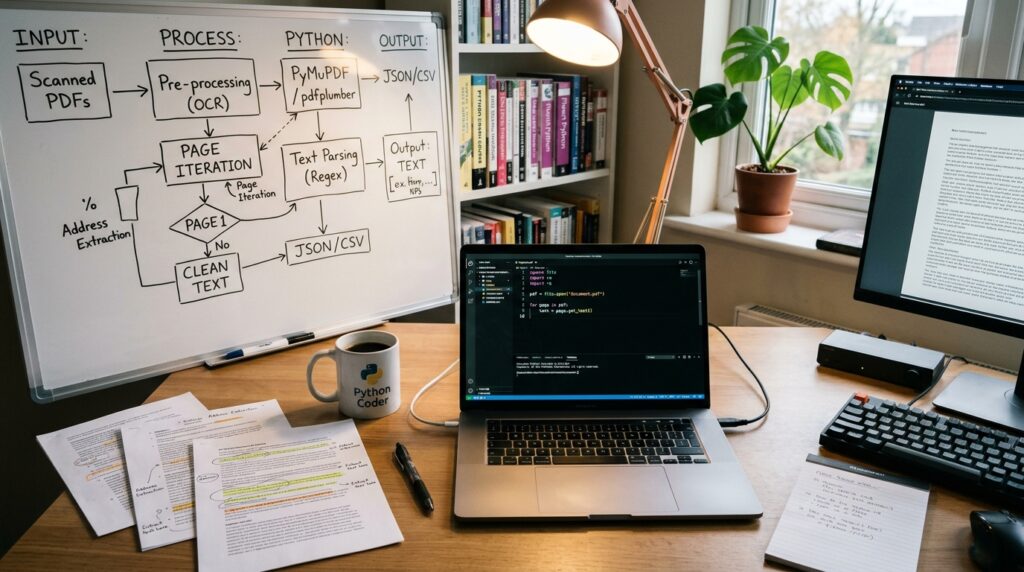
A code skill may suit technical customers who can install tools and work with a CLI. A PDF guide is often clearer for readers who want a method they can follow without setting up software. Claude Code skills are also technical instructions, and the PDF-processing skill described for Claude is proprietary; public access to its source does not grant an open-source license.
A ChatGPT to Word or PDF Chrome extension exports a single response, selected messages, or a complete conversation as Word or PDF. It supports tables, equations, code, and images. Its disclosed data handling includes personally identifiable information, location, and website content, so consider that before using it with sensitive material.
Exporting a ChatGPT conversation is different from converting an existing Word file. ChatGPT can help create or revise text, but the Word document should be exported through Word. Choose the technical workflow format only when the customer can install and use the tools it depends on.
Conclusion
A sellable PDF begins with one useful result and earns trust by making that result achievable. A focused PDF guide is stronger than a broad collection of expertise because the customer can see what to do and apply the method from the file.
Choose an outcome you can teach, then write the steps in the order a customer will use them. Give the document enough detail to stand on its own, and make sure the exported pages match the source document. Clear instructions matter more than a long list of unrelated skills.
Your first move can be brief: Write a one-sentence product promise today, then outline the steps a customer would need to deliver on it.